A landing page that explains surgical AI in one scroll
Extra Vision builds an AI platform that turns a patient's CT and MRI scans into a 3D model a neurosurgeon can rehearse on. The company asked me for a concept of their new landing page.
In 60 seconds
A complex medical product, readable in a minute
Task. A concept for the company's new landing page: explain what the platform does to neurosurgeons and hospitals, show that it's already in clinical use, and lead to a demo request.
Problem. The product sits on four technologies at once: AI segmentation, a 3D digital twin, AR and trajectory planning. Listed one by one, they read like a research paper. The people who decide have very little time.
Solution. Start from the surgeon's day. The page goes problem, product, process, cases, proof, then the form, and every block answers one question a surgeon would ask.
The problem
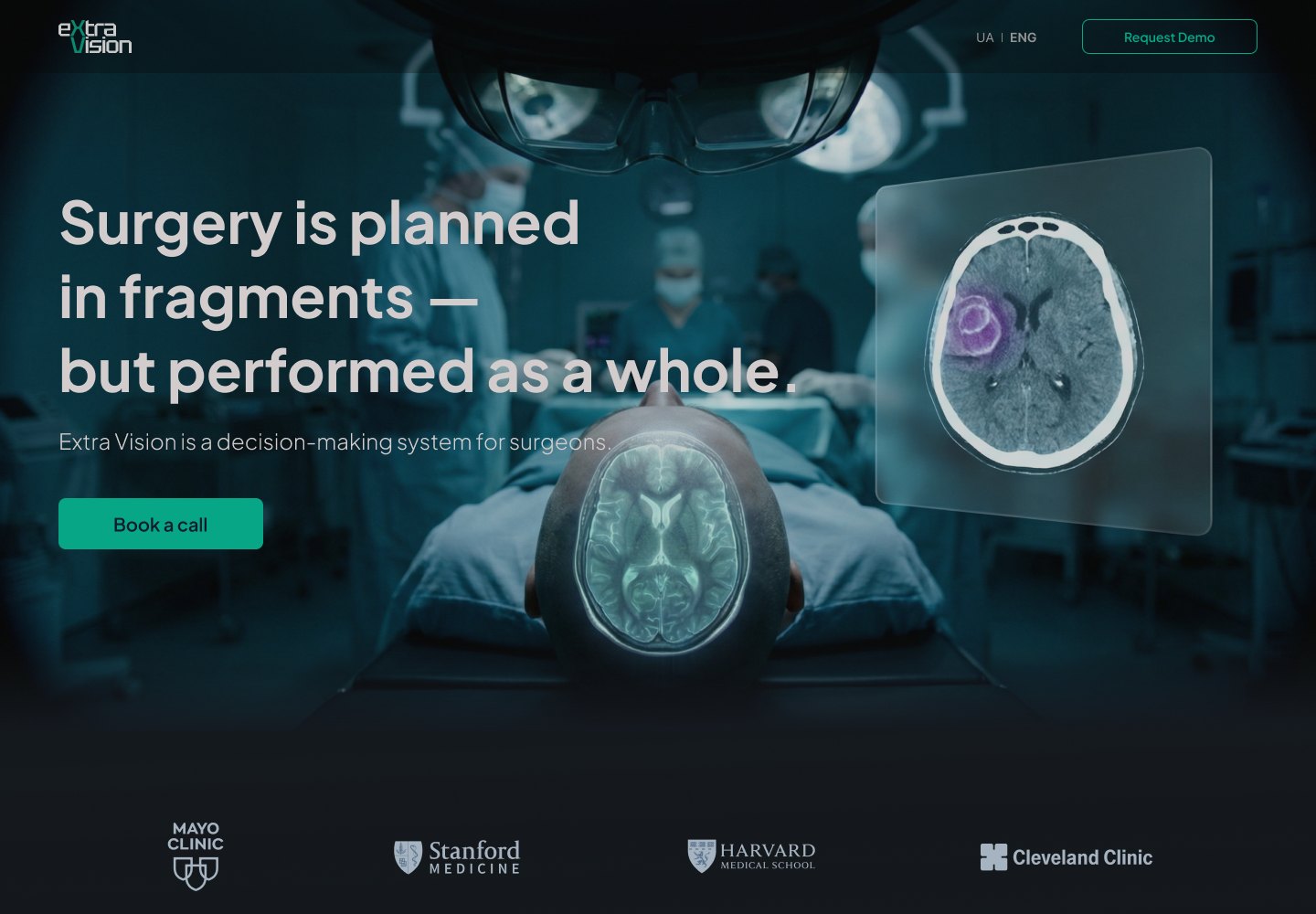
Surgery is planned in fragments, but performed as a whole.
That line became the headline. Before an operation, a surgeon pieces the patient together from CT, MRI and written reports, and builds the 3D picture in their head. The landing page had to name that pain in words a surgeon recognises, before showing any technology.
Key decisions
Five decisions that shaped the page
Decisions
01 · Pain first, product second
The hero names the problem in one sentence and only then says what Extra Vision is. Surgeons see their own day before they see a feature list.
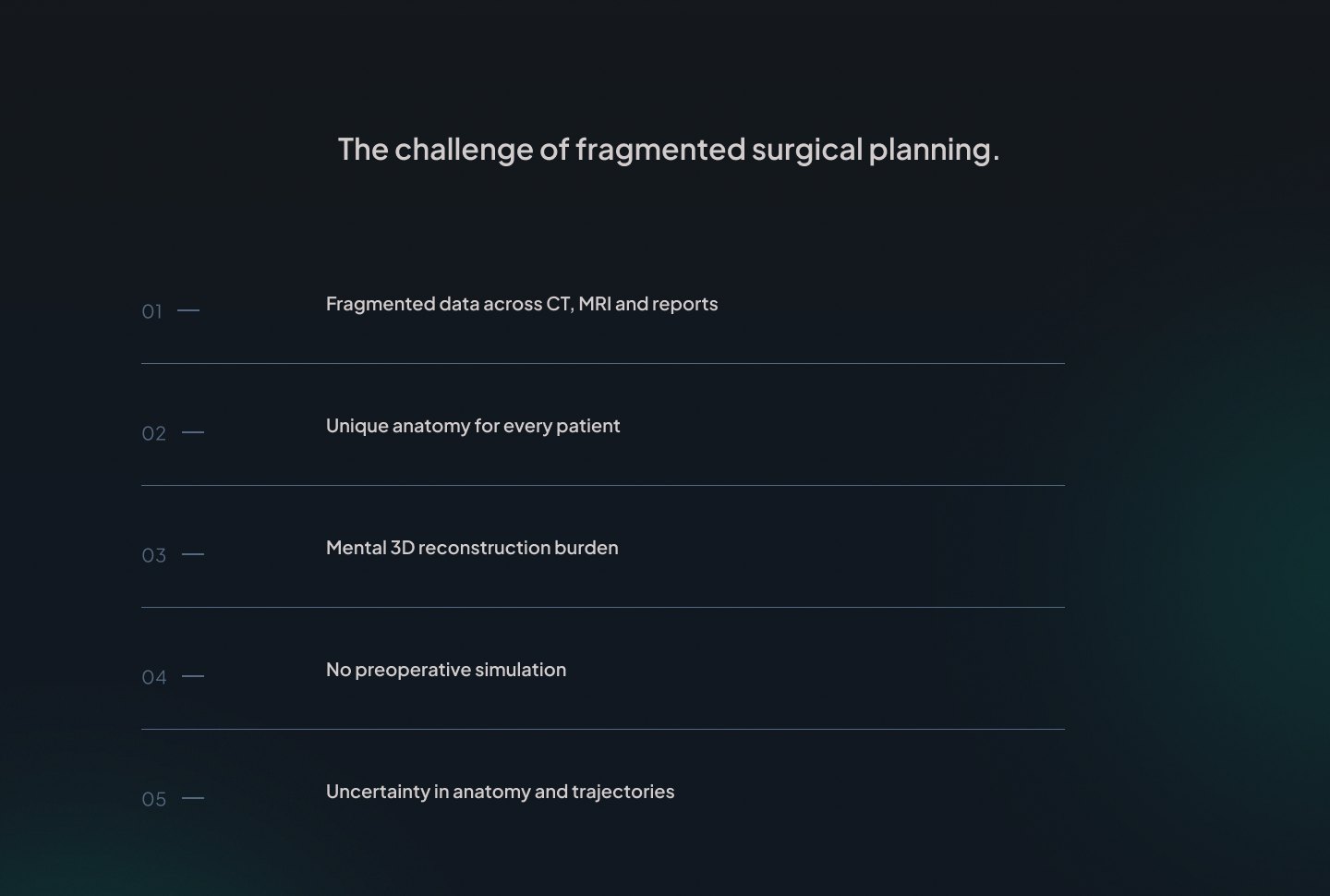
02 · Five problems, six answers
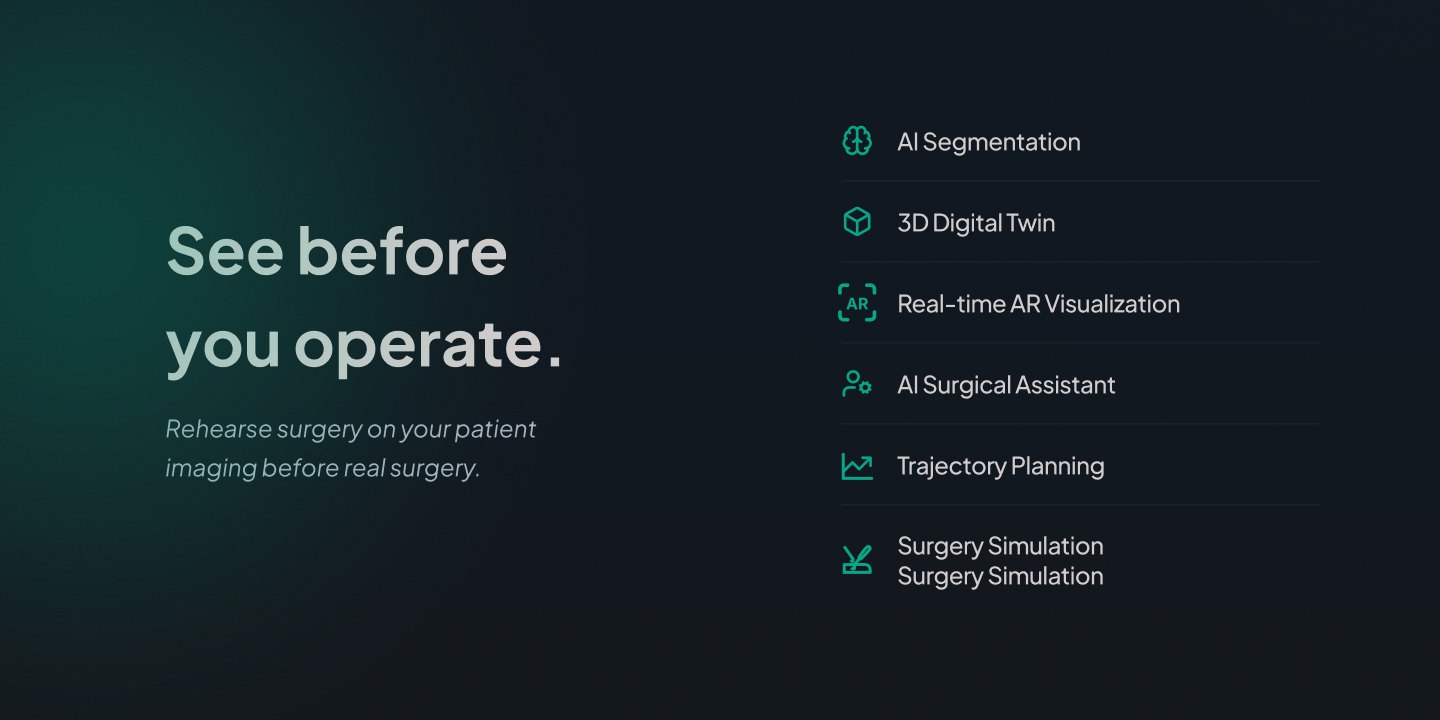
A numbered list of five problems, followed by six capabilities, so each feature reads as the answer to something said just above.
03 · One line from scan to plan
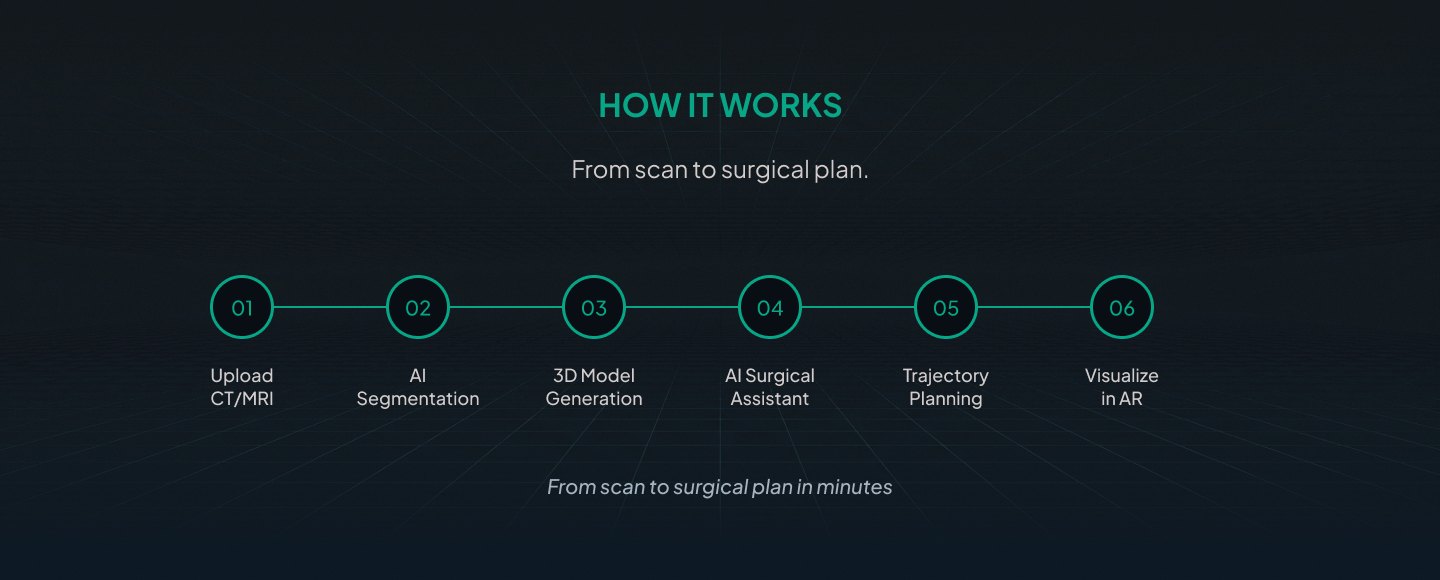
The workflow is a single six-step timeline: upload, segmentation, 3D model, AI assistant, trajectory, AR. One glance shows the whole process.
04 · Proof before the form
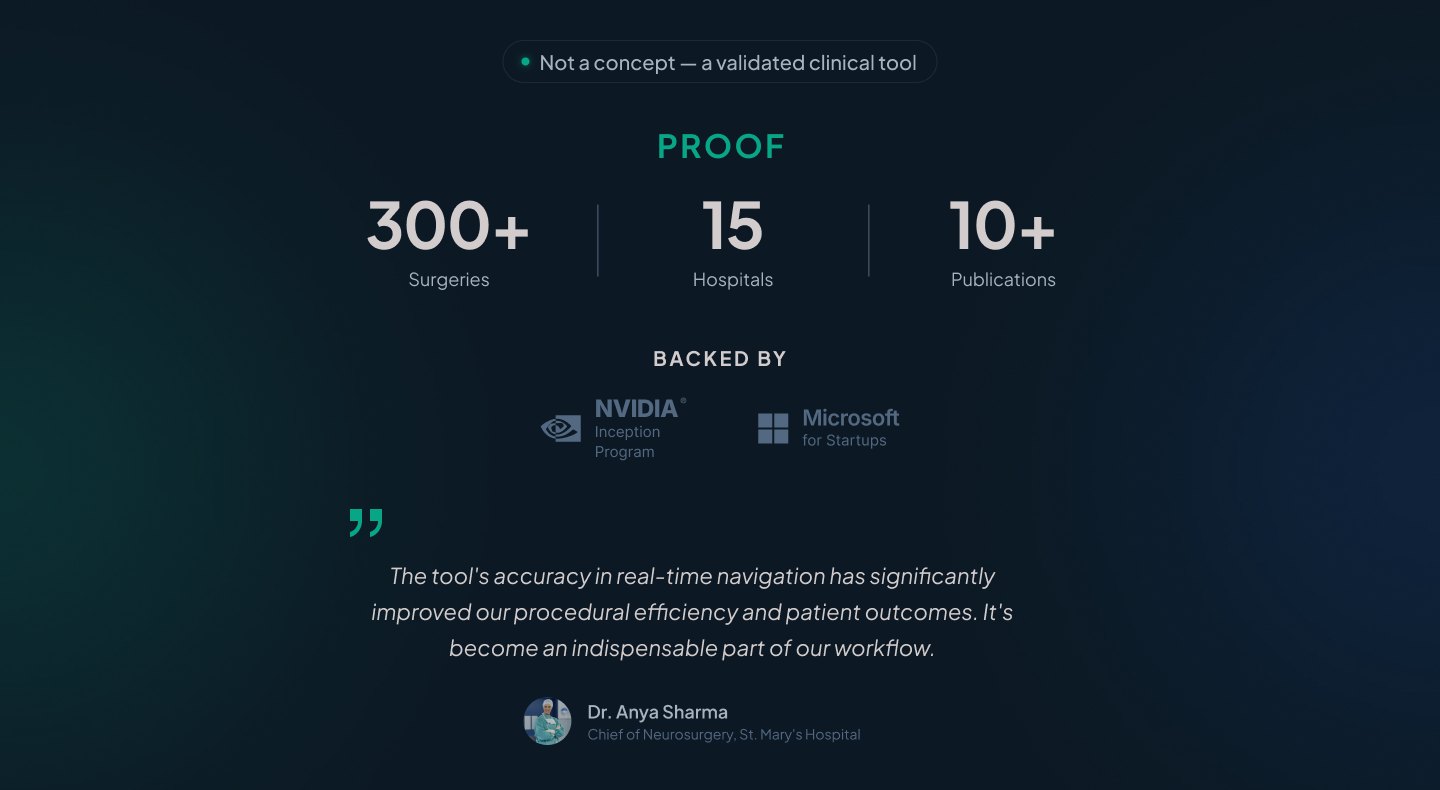
Surgeries, hospitals, publications, backers and a surgeon's quote sit right before the demo form. In medicine, trust comes before the ask.
05 · The operating room as the palette
Dark teal surfaces and one green accent, close to the light of OR monitors. Every visual is a real scan.
Screens
The page, top to bottom
Hero, then hospital logos, so the first screen already says who uses it.
What it does
Six capabilities next to one promise: rehearse surgery on your patient's imaging before the real one.
How it works
Six steps on one line, from uploading a CT or MRI to seeing the plan in AR.
Use cases
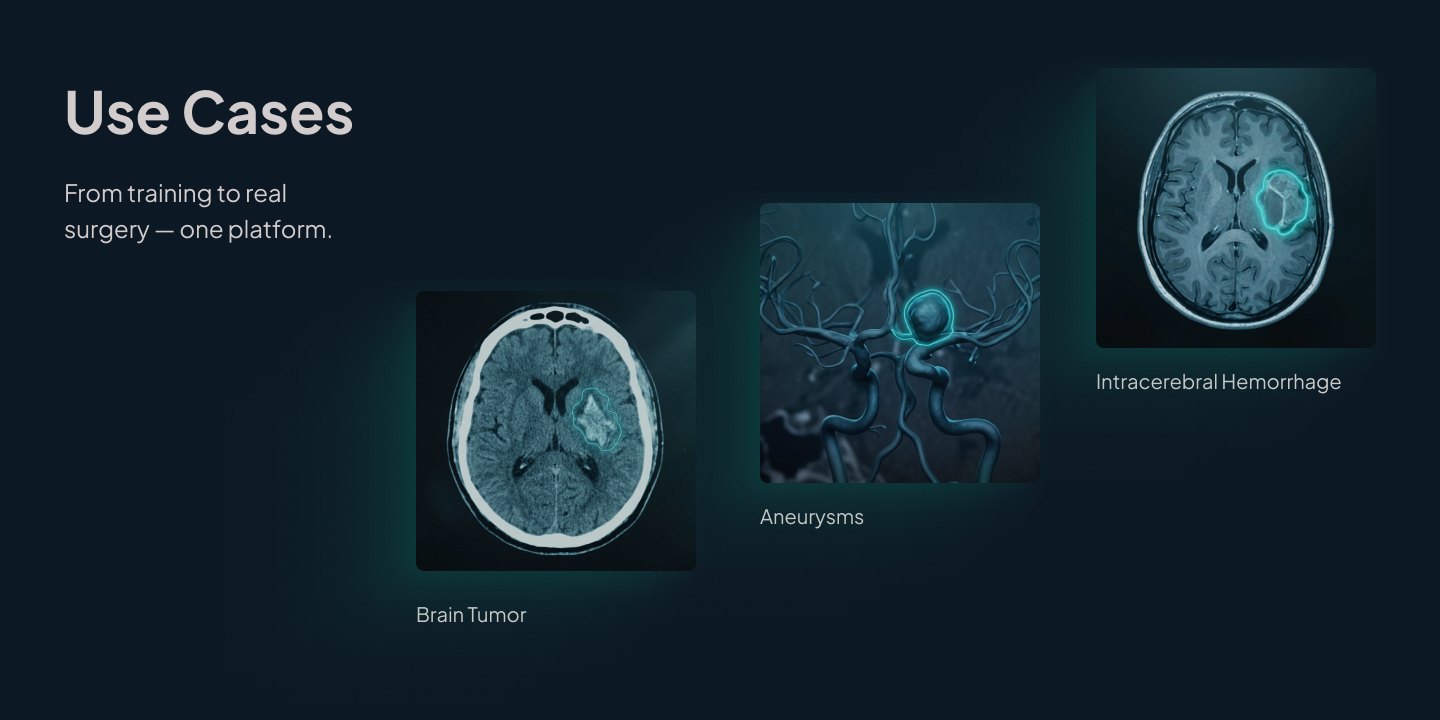
Brain tumours, aneurysms and intracerebral haemorrhage, each shown on a real scan.
Proof
Three numbers, two backers and a quote from a neurosurgeon.
The numbers, clinic logos, backers and the testimonial are taken from Extra Vision's current website. I didn't make them up for the concept; I gave them a block of their own.
Demo and the ask
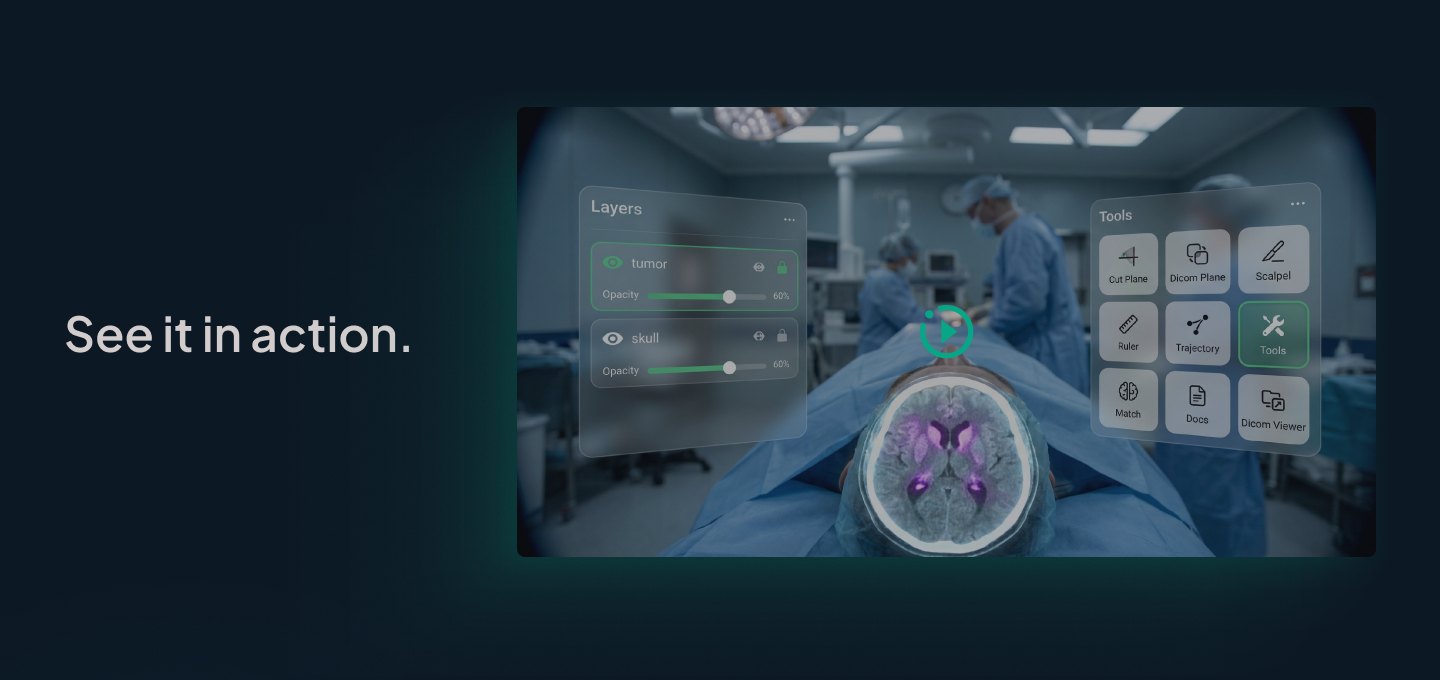
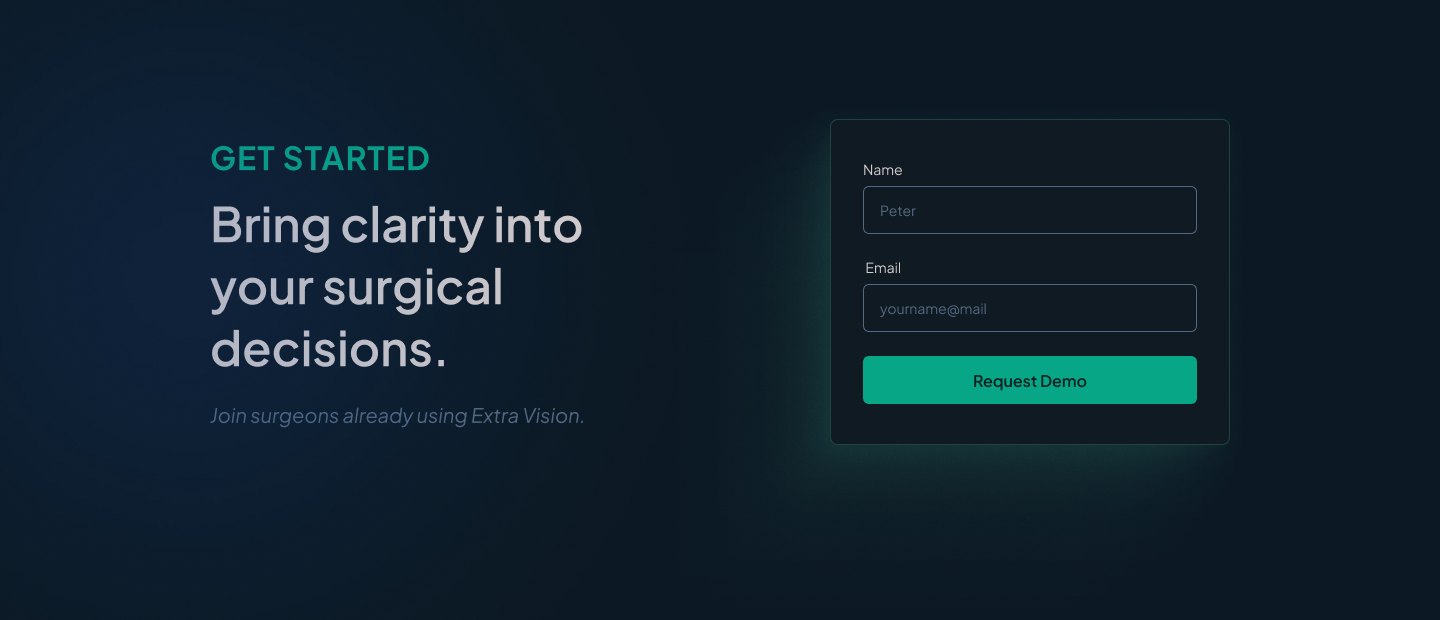
A product shot in the operating room, then a short form: name and email, nothing more.
Result
A full landing page concept in a couple of days.
The concept went to the company as a desktop page in Figma, with structure, copy and visuals. It's a concept: I don't have launch numbers to show.
What I'd do next
Talk to two surgeons
Check the five problems against their words before anything is built.
Mobile version
Hospital staff open links on their phones between operations. The timeline and the proof block need their own layout.
A real demo video
Replace the still in "See it in action" with a 20-second clip of the plan in AR.
Two audiences
A separate path for hospital buyers, with pricing, integration and compliance.